Event Detector Configurations
Monitoring certain events is crucial in damage protection, causality assessment, and ensuring timely response to minimize operational disruptions and safeguard assets. Event detectors in the MDA system can be configurated to monitor specific areas and alert the user when certain events occur.
This article will cover the use cases for such event detectors and how to interact with the API.
- Create an Area Event Detector
- Get events from an Event Detector
- Get definitions of all available event detectors
- Delete an Event Detector
The base url for the endpoints specified in this article is as follows:
https://demo.ghmaritime.com/api/eventdetectorCreate an Area Event Detector
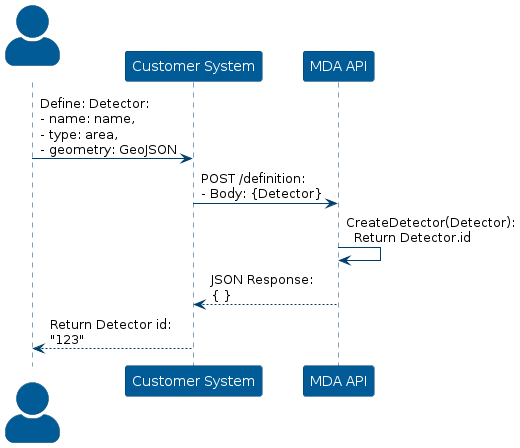
To detect events in a specific area, construct a POST request via the /definition endpoint, where the request body specifies the name of the detector, type of detector (area in this case), and the geometry of the area.
The geometry should be formatted as a GeoJSON object and wrapped in a "geometry" field in the request body.
If the request is a succes, the API will respond with the id of the detector, meaning that a detector has been created in the system.
Additionally, the detector can also filter the events and only alert if some constraint is fulfilled. To do this, add the “filter” field in the request body and specify the constraint as a logical condition as a string.
Visualization of the process is depicted below:
To view the events from the newly created detector, follow the steps in Get Events from an Event Detector
Get Events from an Event Detector
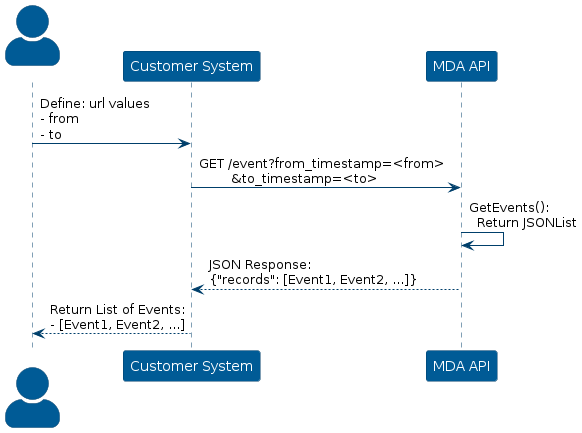
To get events from your detectors, construct a GET request via the /event?from_timestamp=<from>&to_timestamp=<to> endpoint, where the from_timestamp and to_timestamp specifies the interval in which the events will have occured. Additionally it is important to note that from_timestamp should be greater than or equal to to_timestamp and the format of the variables <from> and <to> should be in ISO (UTC).
To receive events from a detector, it is important to note that the detector must first be created and must have already detected at least one event. If an event detector has not been created yet, follow the steps at Create an Area Event Detector
From this, the API will respond with a JSON encoding of a record of all events detected by your detectors.
Visualization of the process is depicted below:
Get definitions of all available event detectors
It is possible to view the definition of all available event detectors, where several information fields describe the detector and its usage.
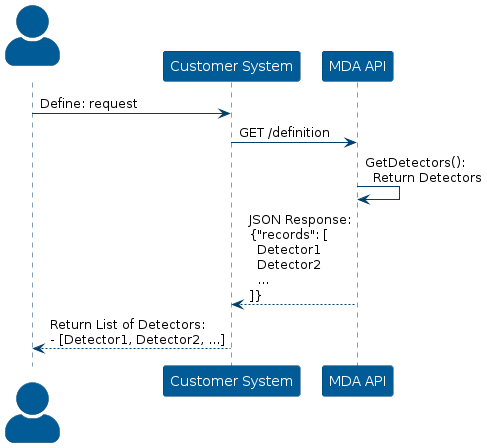
To do this, construct a GET request via the /definition endpoint.
The web service will return a list of all event detectors available to the user and the several information fields that describe them.
The following is a visualization of the process:
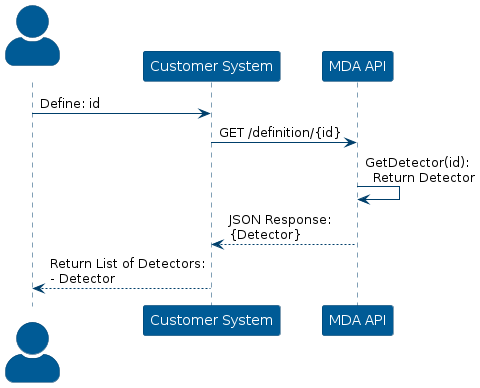
However, it is also possible to get information about a single event detector by specifying the id of the event detector in the endpoint url.
To do this, construct a GET request via the /event/{id} endpoint, where the id is the id of the event detector.
The following is a visualization of the process:
Update the definition of an Event Detector
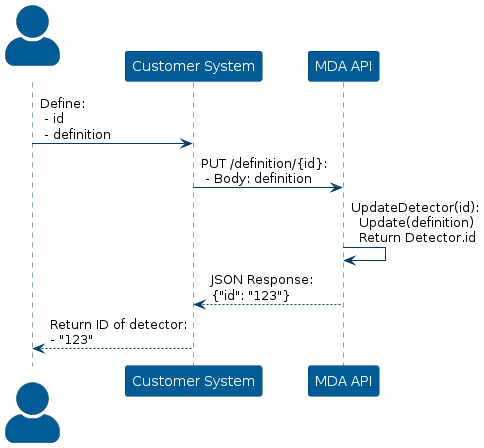
To update an event detector with new definitions, it is important to note that an event detector must exist beforehand for this operation to be possible.
To do this, construct a PUT request via the /definition/{id} endpoint, where the id variable is the id of the detector.
The web service will respond with the id of the detector.
The following is a visualization of the process:
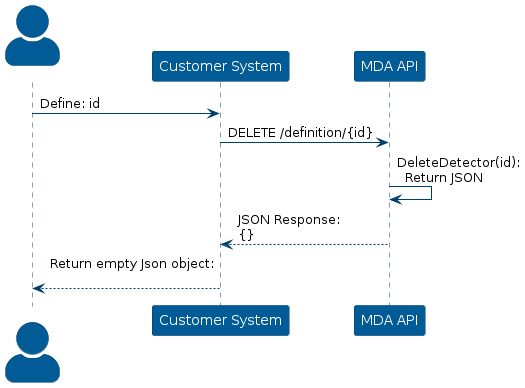
Delete an Event Detector
To delete a detector, it is important to note that the detector must exist beforehand and the id of the detector must be known.
To do this, construct a DELETE request via the /definition/{id} endpoint, where the id variable is the id of the detector
The following is a visualization of the process: